


Are you looking for the best VPN services for WordPress users?
A good VPN can protect your privacy, keep your information secure, and let you visit websites that are blocked or censored in your location. However, with so many VPNs out there, it can be difficult to find the right one for you.
In this article, we’ll show you some of the best VPN services for WordPress users.
Why Do WordPress Users Need a VPN Service?
A VPN is a Virtual Private Network that can help secure your internet connection and protect your identity from third parties, including your internet provider.
Many of us access the internet on multiple devices, from multiple locations, and sometimes even from public internet spots.
If the public WiFi isn’t set up or protected correctly, then hackers might be able to access your personal information, including passwords, the credit card details you share with an online store, your browsing history, and more. They might even install malware on your WordPress site, hack your social media profiles, or steal your bank account information.
Even when you’re using the internet connection at your home or office, people may still be able to steal your data and spy on the actions you take online.
VPNs help secure your internet connection and protect your identity. Once you’ve set up a secure VPN, you’ll be able to browse the internet privately using encryption.
As a WordPress site owner, using a VPN improves your WordPress security. If you are already using SSL on your WordPress site, then using a VPN completely hides your activities behind multiple encryption layers.
Since it hides your identity, you can also use a VPN to bypass country-specific content restrictions on sites like Netflix, YouTube, and the BBC. Some people even restrict WordPress website access by IP address.
A VPN gives you a way to watch TV shows, movies, and other content that isn’t available in your country. You can also use it to avoid geolocation targeting.
How Does a VPN Work?
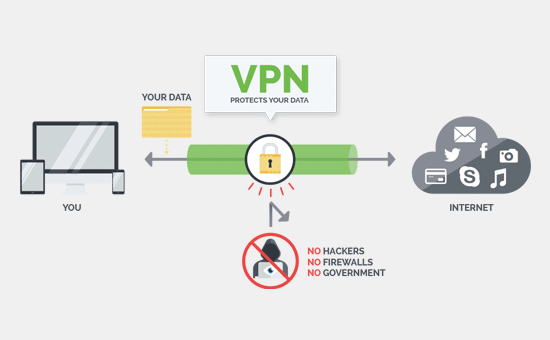
When you access the internet, by default, all of your internet traffic travels through different servers spread across the world. This means that hackers, the government, your internet service provider, and other third parties can spy on the websites and blogs you visit and see exactly what you’re doing online.
Instead of traveling through lots of different servers, a VPN creates a private network that acts as a direct connection between your computer and the VPN server.
Even if you’re using public WiFi, this creates a private ‘tunnel’ that can keep your data safe. You might even use a VPN to blog anonymously using WordPress.
When you request a website while using a VPN, your VPN client encrypts your request and then sends it to the VPN server.
The VPN server then requests the information from the destination website on your behalf. Even if someone is trying to spy on your internet traffic, they can only see that a VPN server is requesting data. These people can’t follow the connection back to your computer.
Once it’s got the requested website, the VPN encrypts all of the data before sending it back to your computer.
How to Choose The Best VPN Service?
There are plenty of VPN service providers that you can choose from. However, not all of them offer the same level of security, privacy, and ease of use.
To help you find the best VPN server, here is what you need to look for:
Ease of use – Most of us browse the internet on lots of different devices. With that in mind, a good VPN should have easy-to-use applications for all of your devices, such as your smartphone, tablet, and desktop computer. This will make it easy to do common tasks such as connecting to your VPN, switching servers, and changing your IP address, no matter what device you’re using.
Speed and Bandwidth – Encrypting your data takes time. This means that you may notice a slight drop in your internet speed after activating a VPN.
However, some VPN services are slower than others. If a VPN doesn’t have enough power to properly support all of its customers, then it may have a bigger and more noticeable impact on your internet speed.
With that in mind, you’ll want to choose a company that promises high-speed connections for all devices.
Locations and Servers – When a VPN provider has servers in multiple locations, you’re free to choose servers from different counties with different IP addresses. This is ideal for visiting sites and enjoying content that is blocked in your location. It also gives you the choice to switch from a slower server to a faster one.
Privacy and Security – It’s important to choose a provider that offers you the best security. A good VPN provider should use layers of encryption for all data transfers. At the very least, your VPN should be using AES-256 encryption.
You should also choose a VPN that doesn’t keep any logs on its users. Since your data is never recorded, there’s no chance of it getting stolen or leaked.
A kill switch is also important to prevent your device from making unprotected connections.
Having said that, let’s take a look at our favorite VPN services and how these networks compare to one another.
1. IPVanish
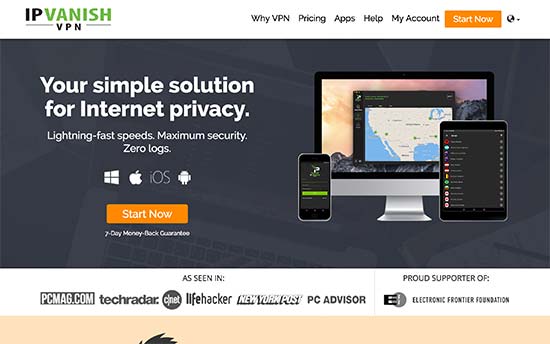
IPVanish is one of the most popular VPN service providers in the world. They offer an easy-to-use VPN service that is perfect for both beginners and experts.
IPVanish has apps for all the popular mobile and desktop platforms, including Mac, Windows, iOS, Android, and more. All of these apps are quite easy to use and have a beginner-friendly user interface.
You can also use the same IPVanish account on as many devices as you want.
Another option is to set up IPVanish on a compatible VPN router. You can then share a single IPVanish connection with all the devices that are connected to your router.
IPVanish has a huge network of more than 40,000 shared IP addresses and over 2,000 servers in 75+ countries. You can use IPs from any region or country.
Speed is a big concern for most VPN users. IPVanish is noticeably faster than most VPN service providers due to its robust network, the amount of available bandwidth, and modern infrastructure. It also uses the WireGuard protocol, which is fine-tuned to deliver high speeds.
The IPVanish app will even suggest the fastest server that you can connect to.
While IPVanish does allow unlimited P2P connections, it doesn’t have special servers that are fine-tuned for P2P. If you want to use a P2P network, then your speeds will vary depending on how busy the server is.
All IPVanish connections are encrypted with 256-bit AES encryption technology, which is the highest industry standard.
IPVanish also has a strict zero-log policy, which means they don’t keep any record of your online activities. This logging policy has been checked and verified by third-party cybersecurity experts.
Pricing: IPVanish starts from $3.99 per month when paid annually. WPBeginner users can use this exclusive IPVanish coupon to get a 20% discount.
2. SurfShark
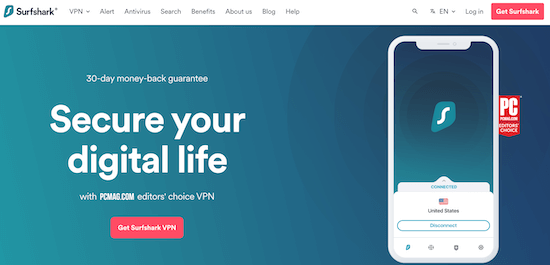
With over 3,200 servers in 65 countries, SurfShark is a great VPN for enjoying content that’s only available in certain locations.
This VPN has a multi-hop feature that lets you connect to two VPN servers at once. This can improve your connection speed and add an extra layer of security by making it more difficult for third parties to track your location.
SurfShark has an IP rotator that changes your IP without disconnecting you from your VPN server. This can improve your security without interrupting your browsing experience.
Pricing: You can buy a SurfShark plan for as low as $2.49 per month.
3. NordVPN
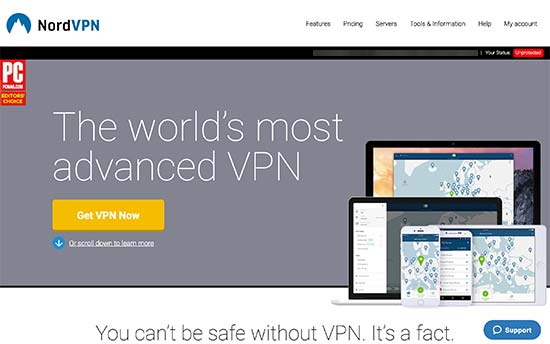
NordVPN is a popular VPN service provider with a huge network of over 5400 servers in 60 different counties.
It comes with easy-to-use apps for all your devices so you can connect to your VPN instantly. You can connect up to 6 devices at a time, or you can install NordVPN on your router so it secures every device on your network.
NordVPN has encrypted proxy extensions for Chrome, Firefox, and Edge. If you connect to a website that isn’t secure, then these extensions will make sure all of your HTTP traffic is protected by Transport Layer Security. This can stop people from spying on your data and stealing your private information.
NordVPN uses AES with 256-bit keys, plus three different security protocols, including NordLynx, which is built around the WireGuard protocol.
NordVPN has hundreds of P2P servers across the globe with no bandwidth limits or download caps, which makes them a popular VPN for torrenting.
To ensure the privacy of their customers, NordVPN has a zero-log policy. In fact, NordVPN was the first major service to submit its zero log policy for an independent review.
They also have a kill switch built in. If you lose your VPN connection, then NordVPN will automatically stop any apps from sending unprotected traffic to the internet.
NordVPN comes with a built-in Threat Protection feature that scans for malware, blocks pop-ups, and ads, and stops companies from placing tracking cookies on your computer. Even better, NordVPN’s Threat Protection will protect your internet traffic no matter whether you’re currently connected to a VPN server.
Pricing: Starting from $3.29 per month when you sign up for a two-year plan.
4. StrongVPN
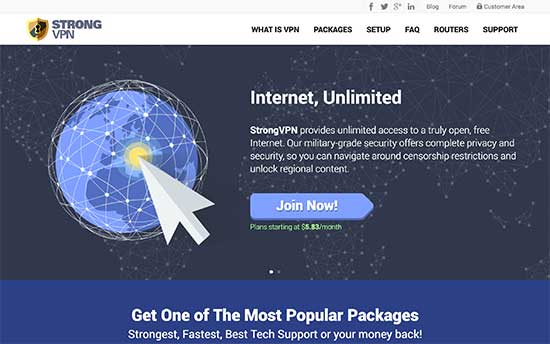
StrongVPN is another top VPN service provider with more than 12,000+ customers around the world. They have more than 950 servers in over 30 countries.
StrongVPN offers up to 2048-bit encryption, complete with a zero log policy. There are no bandwidth caps for all their accounts.
By default, all StrongDNS accounts use the WireGuard VPN protocol, which offers a high level of security. This means you can simply log into your StrongDNS account and choose your server, and you will be using the advanced WireGuard protocol automatically.
StrongVPN has apps for macOS, Windows, iOS, and Android devices. All of these applications are quite easy to set up and use, even for beginners.
StrongVPN allows up to 12 simultaneous connections as long as they are on the same network. This means you can use this VPN on all your devices.
Pricing: Starting from $3.66 per month when billed annually. If you buy an annual plan, then StrongVPN offers a 30-day money-back guarantee.
5. ExpressVPN
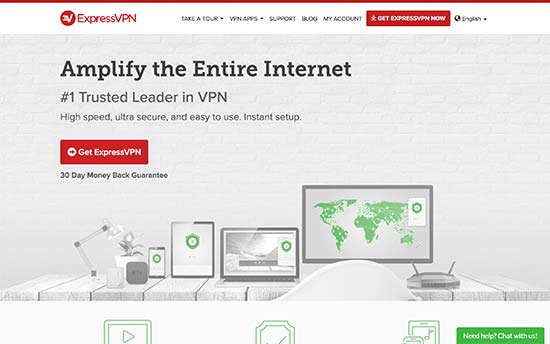
ExpressVPN has a strong network of 160 locations in 94 countries. They offer industry-standard encryption to help protect your privacy.
ExpressVPN comes with easy-to-use apps for all the most popular platforms and devices. It makes it easy to switch between different servers and will even show a list of recommended servers that you can connect to.
You can simultaneously connect up to 5 devices using the same VPN account, which should be enough for most users.
ExpressVPN also has extensions for Chrome, Firefox, and Edge. These extensions allow you to change your location and control the ExpressVPN app directly from your web browser. If you try to access a website over HTTP, then these extensions will also automatically redirect you to the safer HTTPS version.
To learn more about these protocols, see our step by step guide on how to properly move WordPress from HTTP to HTTPS.
ExpressVPN allows you to use file-sharing services and P2P connections without limiting downloads or speed. They also have a zero-logging policy.
Depending on your operating system, ExpressVPN may also offer split tunneling. This allows you to choose which apps use ExpressVPN and which apps don’t.
Pricing: ExpressVPN prices start at $8.32 per month when billed annually.
Bonus VPN Services
TunnelBear
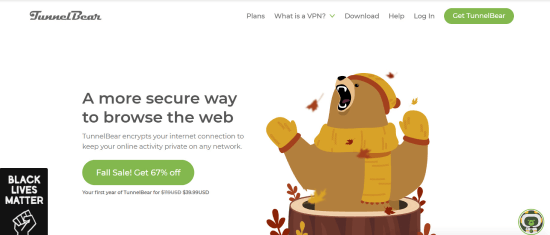
TunnelBear is a popular VPN service owned by McAfee security company. It is easy to dismiss TunnelBear due to its funny, bear-themed app and bright colors.
While it does lack many of the advanced features found among our top choices, it is extremely easy to use. They even have a limited free subscription option, making it a great choice for anyone new to using VPNs.
The main interface is a world map pinpointed with the available servers. Your actual location is shown on the map as a sheep, but once you connect to the VPN, it turns into a bear.
TunnelBear offers up to 2GB per month data limit for their free service. This allows you to test the service to see if you like it. Also, they come with an industry-standard AES-256 encryption, which is the strongest available. That way, you’ll have peace of mind, knowing your connection is secure at all times.
Pricing: TunnelBear VPN is free to use. But if you want unlimited secure browsing, premium VPN servers, and city-level server selection, you’ll want to invest in their Unlimited plan at $3.33 per month.
CyberGhost
CyberGhost has one of the largest collection of VPN servers available. The service boasts an impressive 8,900+ servers in 116 locations across 91 countries, making it arguably the best VPN service for frequent travelers.
The large service fleet gives you a better opportunity to get a high-quality server experience. Whether you’re looking to gain access to geo-restricted content or finding faster speeds.
CyberGhost is also increasing its speed too, with 10Gbps servers in over 30 countries and more on the way.
The service works great for small teams and businesses who want good speed and stability. You should be able to receive relatively fast speeds with multiple browser tabs, downloading files, or any other task needed to run your business.
They even offer NoSpy Servers, meaning that no third party can access your data.
Pricing: CyberGhost plans start at $2.11 per month, giving you access to 8,900+ PVN servers, secure up to 7 devices, and 24/7 customer support.
Expert Pick: Which is the Best VPN Services for WordPress Users?
After carefully evaluating all of these VPN services, we believe that IPVanish is the best VPN service currently available. They offer the best security, easy-to-use apps, a huge network, and blazing-fast speeds.
Surfshark and NordVPN are both very popular for good reasons.
We hope this article helped you find the best VPN Service as a WordPress user. You can also go through our guide on the “must-have” WordPress plugins and tools for business sites and how to choose the best WordPress hosting.
If you liked this article, then please subscribe to our YouTube Channel for WordPress video tutorials. You can also find us on Twitter and Facebook.





Syed Balkhi says
Hey WPBeginner readers,
Did you know you can win exciting prizes by commenting on WPBeginner?
Every month, our top blog commenters will win HUGE rewards, including premium WordPress plugin licenses and cash prizes.
You can get more details about the contest from here.
Start sharing your thoughts below to stand a chance to win!
Cody says
Tunnel Bear was not working for me as it was always trying to connect to certain servers, so tried nordvpn and voila, worked like a charm. Connected immediately and Netflix US is for me to binge. Of course, what would you expect from a company of this size though!
WPBeginner Support says
Glad our recommendation could be helpful
Admin
Jess W says
All good services. I switched over to ExpressVPN a few months ago and have been very impressed.
WPBeginner Support says
Glad they’ve worked well for you
Admin
SteveHyte says
Great article, very detailed. I noticed that with some VPNs you can lose a little speed, so choose wisely. I’d suggest even to take a few free trials and then decide which one to buy. Heard NordVPN and Express are rated best. Can’t vouch for Express, as I’m a user of Nord, but I think they both should be okay.
WPBeginner Support says
Thanks for sharing your recommendation for other users
Admin
Alessandro says
Thanks for sharing this post. Anyway, I expected to read a guide regarding how to setup a wordpress installation on a vpn network service. Maybe, I thought as a beginner user…
Vinay Prajapati says
Very Informative post. I highly recommend bloggers to use VPN to keep data and personal information safe over internet.
Dave says
Question regarding this. When you connect to the VPN you are using your ISP to access it. Your VPN client creates a private tunnel to the VPN Server, in this process what does the ISP see? Do they only see that you’ve connected to say IP address at VPN Server Location? I am assuming that they can’t see data within that private tunnel any different then a hacker. Correct?
WPBeginner Support says
Hey Dave,
Yes, your ISP will see data being sent to the tunnel but actual data will be encrypted.
Admin
helen says
Been using VPN since years, but in what way is this article related to wordpress?
please explain….
Editorial Staff says
People are accessing their WordPress websites / admin dashboard from public Wifi networks. The goal of this article is to help educate beginners about it, so they too can use VPN.
Admin
Todd says
I can vouch for ExpressVPN. The service is a little more a month but it’s definitely worth it.
Brian says
Should be using a static IP offering as a metric to determine a good VPN for WordPress use. You can white list that IP for sites you maintain alone and add another layer of security.
Soham Pratap says
I read the whole article but I was expecting Opera VPN to be included. I’ve been using Opera VPN and it has never given me any kind of problems.
Editorial Staff says
The version in Opera browser merely acts as a proxy for any data that transfers from your browser, so its sufficient for web passwords. However a true VPN encrypts your entire internet connection including any apps that you’re using.
Admin
Ewan Yates says
Im sure he meant opera vpn – the standalone VPN app available on ios and android, not the proxy found in the opera browser. I’ve used it myself and while it is sufficient and does the job, I’m not sure how secure it is considering it is a free service. The owners of the company have to make money somehow, do the they.
Sherrey says
This should be a magnetic post with the repeal of the internet privacy regulation. Does a VPN protect you against anyone grabbing your browser history, hacking into your WordPress sites, etc.?
WPBeginner Support says
Hi Sherrey,
Yes, it does.
Admin
Daniel says
No it doesn’t. Nothing does 100%. That doesn’t mean you shouldn’t use one though.
It is a good step to protect yourself on public WiFi but it’s not going to magically prevent all hacks on your site. You can still fall prey to phishing, malware and viruses as usual. Plus targeted hackers will likely already know the IP and services they are targeting regardless of your internet connection.
Steven says
thanks for this, I’ve been testing Tunnel Bear lately but it doesn’t work for me often when out and about so pretty useless. Looking forward to giving these a go