


Do you want to allow your customers to book an appointment directly from your WordPress site?
Many businesses need an appointment booking form that allows customers to easily book appointments online. With the right plugin, you can streamline your workflow and provide an exceptional user experience.
In this article, we will show you the best WordPress appointment and booking plugins.

What Kind of Appointment and Booking Form Plugin Should You Choose?
You may want to customize your appointment booking form to meet your business requirements. However, there are a few common things that you should look for in your WordPress booking form plugin.
Your appointment booking form should be able to accept customer requests for available time slots divided into your business hours.
It should work on mobile phones so that your customers can easily book appointments from their phones as well as computers.
A good booking form will save appointments in your WordPress database or a calendar app like Google Calendar. You may also want to send an automatic email notification to customers once their booking is accepted.
Whether you are a service-based business, gym, hair salon, photographer, or restaurant, just about every business needs a way to book an appointment with you.
That being said, let’s take a look at the best appointment and booking plugins that you can use on your WordPress site.
1. Sugar Calendar
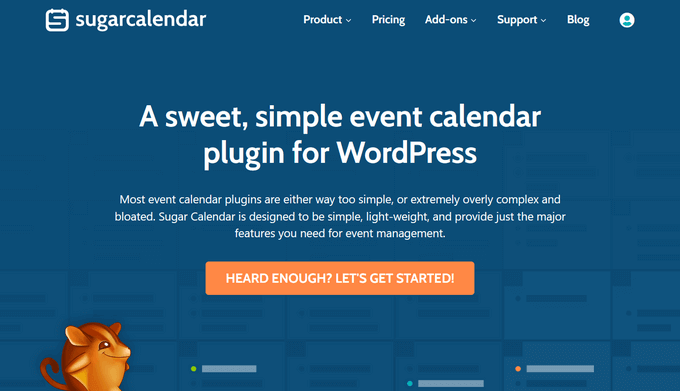
Sugar Calendar is a powerful event management and calendar plugin for WordPress. You can use it to create event schedules, schedule appointments, collect payments, and more.
What makes Sugar Calendar so great is that it’s fast and simple to use. Unlike other plugins, it’s not bloated and works very well with other plugins. Plus, the user interface is beginner-friendly and offers many customization options.
For instance, you can choose the date formatting and time zones, set up recurring events, and more. It also makes it super easy to show the calendar on the front end of your site so users can easily book appointments.
Sugar Calendar event syncs with your Google Calendar to help with your workflow. You can connect Sugar Calendar with other WordPress form builders plugins like WPForms or Ninja Forms to unlock the full power of form builders and events.
If you are looking to do one-off events or recurring events, Sugar Calendar is the plugin for you. It helps you create a simple event calendar without editing code, has great timezone support, works on all devices, and comes with calendar widgets and everything you need.
Pricing: Sugar Calendar prices start from $49 per year, and you get access to all the free addons. If you want to use pro addons, then you’ll need a Professional license.
2. WPForms
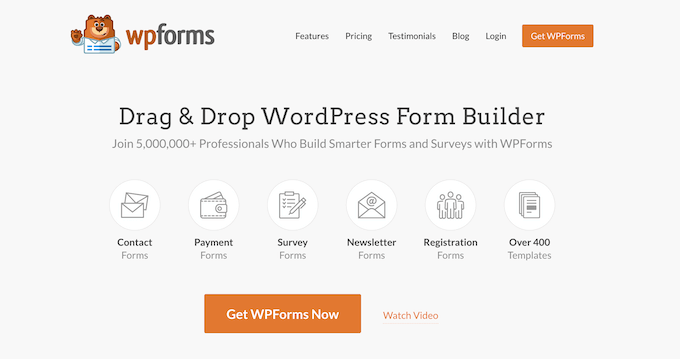
WPForms is the best WordPress contact form plugin. Over 6 million websites use WPForms to create smarter online forms.
It comes with a beginner-friendly, drag-and-drop form builder that allows you to easily create any kind of form within minutes. Plus, you get over 1,500 different form templates to get started.
With WPForms, you can easily create a booking form in WordPress to take appointments. There are also different form fields you can use for customization. Simply drag and drop them onto the template and then edit them further.
The best part is that WPForms can be integrated with Google Calendar through Zapier. This way, you can keep your Google Calendar in sync with all the appointments that are booked using the form. Besides that, it also easily integrates with Sugar Calendar.
Pricing: WPForms offers different pricing plans starting from $39.60 per year, and WPBeginner users can use an exclusive coupon to get 50% off. There is also a free WPForms Lite version.
3. BirchPress
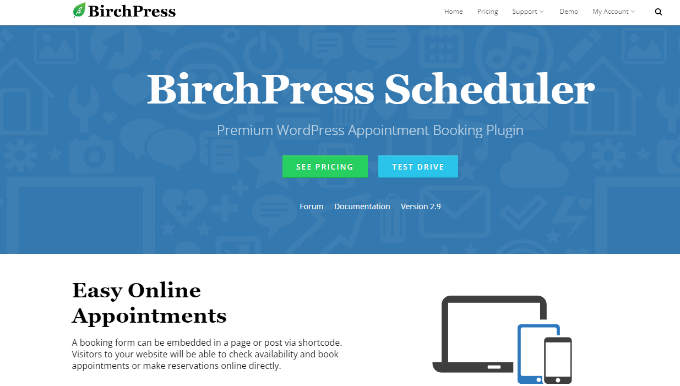
BirchPress is a comprehensive WordPress booking plugin. It allows you to add a professional online booking management system to your WordPress site. Using the plugin, you can create booking forms and choose different fields to add.
Your users can book appointments from your website and pay for them using their PayPal account or credit card. Plus, it also supports other payment gateways through WooCommerce integrations.
BirchPress syncs your booking calendar with other calendars, such as Google Calendar, iCal, Android, Outlook, and more. It has a customizable email notification and reminder system to keep you and your clients informed about the booking.
Pricing: BirchPress offers 3 pricing plans starting from $99 per year.
4. Booking Calendar
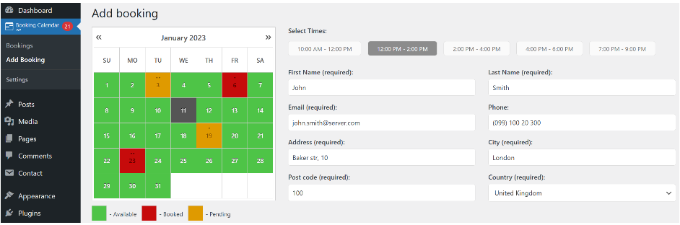
Booking Calendar is one of the best free WordPress booking plugins on the market. It is simple, easy to use, and well-documented.
It comes with a calendar view for both you and your website visitors. You can easily add your booking or appointment form to any WordPress post or page.
While it is simple enough for beginners, it is also very powerful and includes a whole range of options that can be configured from the plugin’s settings page.
Booking Calendar has a built-in CAPTCHA to prevent spam, email notifications, jQuery effects, and more. You can even customize the booking form with your own custom fields.
Pricing: Booking Calendar is a free WordPress booking plugin.
5. WP Simple Booking Calendar
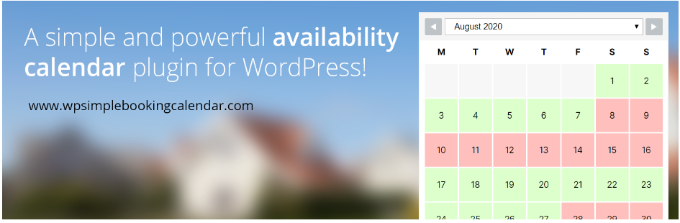
WP Simple Booking Calendar is another easy-to-use WordPress booking plugin. It lets you create one calendar and offers a user-friendly interface.
After creating a calendar, you can then add it to a post or page using the shortcode. It only allows users to book an entire day. This means there are no hourly time slots.
If you were looking for something straightforward and basic for rooms, accommodation, or other per-day offerings, then this plugin will do the job. There is also a premium version that offers more features.
For instance, you can create unlimited booking calendars and sync them with Airbnb, Booking.com, HomeAway, and other sites. Besides that, you also have more options like changing the first day of the week or the start month/year.
Pricing: WP Simple Booking Calendar is a free WordPress plugin. There is also a premium version that costs $39 per year.
6. Easy Appointments

Easy Appointments is a flexible and free WordPress appointment booking plugin. It allows you to easily add multiple locations, services, and workers.
After that, you can create flexible connections with granular control of the calendar. It also allows you to customize the booking form by adding custom form fields.
You can easily add an appointment booking form to any page or post using the shortcode. You can also customize the notification emails the plugin sends to clients, workers, and website administrators.
Pricing: Easy Appointments is a free WordPress plugin you can use to take appointments and bookings on your website.
Which Appointment and Booking Plugin Should You Use?
After going through different plugins, we believe that Sugar Calendar is the best WordPress appointment and booking plugin. It is very easy to use and offers lots of features.
You can use it to manage events, book appointments, take reservations, assign specific time zones to calendar events, and more. Plus, it easily integrates with Google Calendar, Stripe, WPForms, and other WordPress plugins.
On the other hand, if you are looking for a plugin to create booking and appointment forms, then we recommend WPForms. It offers multiple prebuilt form templates, drag-and-drop builder, and form fields for customization.
We hope this article helped you find the best WordPress appointment and booking plugins. You may also want to see our list of the must-have WordPress plugins for business websites and our comparison of the best business phone services for small business.
If you liked this article, then please subscribe to our YouTube Channel for WordPress video tutorials. You can also find us on Twitter and Facebook.





Syed Balkhi says
Hey WPBeginner readers,
Did you know you can win exciting prizes by commenting on WPBeginner?
Every month, our top blog commenters will win HUGE rewards, including premium WordPress plugin licenses and cash prizes.
You can get more details about the contest from here.
Start sharing your thoughts below to stand a chance to win!
Moinuddin Waheed says
Great list of plugins for booking and appointments.
I have been asked to make such booking and appointments websites like medical appointment in a hospital but I have refused to make one because of lack of knowledge.
Thanks for making this easy tutorial that now I can make any kind of booking and appointments website.
can it be integrated with websites and not necessarily making a standalone booking website?
WPBeginner Support says
The plugins don’t require a site to be solely for a booking website.
Admin
Nathan Powell says
Sugar Calendar does not have a way to do appointments and bookings. Why are they on the list? I bought it thinking there would be this functionality and had to get a refund because it does not have the feature. Why did you suggest it? Is there some configuration I missed? When I got my refund they said that it may be coming in future version btw.
WPBeginner Support says
They are in the article as we recommend them for booking events such as a convention or similar. For appointments such as one on one appointments we have the other recommendations in our list. This way we cover the different types of bookings that can be needed depending on the niche that you need.
Admin
Iris says
Easy appointment is definitely off my list, after two clients request for appointments were not forwarded to my mailbox and thus I didn’t see these appointments, it is time for something that really works and is reliable.
WPBeginner Support says
You would first want to ensure you have enabled SMTP as the plugin would use WordPress to send the email but if your site is not sending emails properly they won’t be received. You may want to take a look at our guide on setting up SMTP below:
https://www.wpbeginner.com/plugins/how-to-set-up-wp-mail-smtp-with-any-host-ultimate-guide/
Admin
Abe says
Is this work for party rentals?
WPBeginner Support says
You can use these for rentals and reach out to the support for what you are wanting to use for the specifics on how to set that up.
Admin
queuedr says
thanks for the information and posts
WPBeginner Support says
You’re welcome
Admin
Rathan Kumar says
Very useful article. I would like to know which plugin is best for two way google calendar sync functionality?
I mean, for eg: I am developing an application where customers can book appointment to get their house cleaned. So they need to select date and time slots to book an appointment with my cleaner. What I need is: I want my cleaner to able to set his availability time directly from the Google calendar. Is it possible? If so, please suggest me which plugin should I go for?
WPBeginner Support says
For that type of integration, you would need to reach out to the plugin’s supports for if that would be available.
Admin
Andreas says
Did you find a good booking platform for that?
Sneha Mittal says
I think you missed out some important scheduling software like
1. SuperSaaS: offers a completely free version and very low cost subscription plans with a lot of amazing features like ability to set pricing rules, create discounts & promotional offers and so on.
2. Acuity Scheduling: Very popular but a little expensive if you want customization
3. Calendly: Meeting scheduling system
WPBeginner Support says
Than you for those additional recommendations
Admin
Nicola says
is there a plugin that allows you to reserve seats (local) for cooworking?
WPBeginner Support says
You can add locations to most of these plugins, if you reach out to their support with the specifics you need they should be able to let you know if that is available.
Admin
robert brodsky says
I am looking for a totally free date and time appointment booking plugin. I need to finish the project as cheap as possible. I know that is a tall order to fill but maybe someone knows of one.
WPBeginner Support says
You may want to look at the Easy Appointments plugin in this list under number five.
Admin
Kevin says
Hi,
First of all, thanks for this great article
I’m creating a platform for independent tour guides to propose their services here in Paris, which plugin could be the best for this? having in mind that there will be many guides and each of them with different services to propose.
Thanks in advance
WPBeginner Support says
FOr that question, you would want to look into a business directory plugin: https://www.wpbeginner.com/plugins/best-directory-plugins-for-wordpress/
Admin
Sunil says
Hey…
I have seen few new plugins as well like buddypress, appointment buddy etc.
You can surely add few more..
Mike Anderson says
Hi, I am looking for a booking system for appointments that can handle a client having a quota of free time per month, then allowing a paid rate for the hours after that time is used up? It wold of course renew the quota for the following month.
Is this at all possible, I have been looking for a couple of days at various options, most the plugins I have looked at cannot do this.
TIA
Mike
Bogdan Bujor says
Hey buddy. Did you find anything? I am in search of such plugins and haven’t found one single one that can do this.
David says
Hi!
Im buliding a website where i sell many different classes and courses, for exampel dance, yoga and gymnastics.
I need an calendar that alows for puting up courses with serten number of participates, also it will come in handy if i can have different actvities and classes at the same date and whour. For exampel, bachata course in this location, Yoga session on that location – but at the same time.
Further it would be good if there would be a function so people could pay straight away, rather than we having to contact them, asking them to pay, wait for the payment, the confirm the payment and the booking.
What plugin should i shoose? Thank you wery mouch! =)
WPBeginner Support says
Hi David,
We would recommend you to check out StartBooking.
Admin
Katie says
I just connected with someone at StartBooking, and they plan on rolling out a class scheduling/booking feature in a few weeks– however, it is not currently available.
Santosh kumar mohanty says
Hello ,
I am making a website . I want a plugin by which I can send msg to individual recipient through a contact form or by mobile SMS . Can you help me find that’s like a plugin
Pablo Almeida says
Hello!
I’m creating a Marketplace MVP for hairdressers.
Is there a plugin that create an individual agenda per hairdresser registered on my website?
I found very good solutions, but just for one WP installation. Not per user (independent hairdressers or salons).
The perfect world would be use with Portuguese translation. I can help on this translation too.
William says
We are a charity Village Hall, and looking for a calendar/booking request system for our 2 different Halls. Is there a plugin for this type? Many thanks
Peter says
Hi.
I am using Plan Up theme for online booking event tickets.
I am looking for a plugin that will work as ticket counter. If I have 100 tickets to sell it will do the countdown to zero and then it will be no more possible to sell more tickets. Is there a way to do this whitout to install WooCommers?
Thnaks in advance
Barbara says
Can you suggest an affordable appointment calendar with a payment processor? I need the client to book and pay for their appointment online.
WPBeginner Support says
Hi Barbara,
Did you check out BirchPress. We think it does all the things you need.
Admin
Janine says
I run a beauty salon. I have a wordpress site with a Woocommerce online store where I also sell skincare products. I would like to create an area on my website where customers can log in to make/view/amend online appointments and also view past purchases made via my online store.
I have seen several websites which all have a similar set up but I’m not sure what plugin they are using for appointment booking
Does anyone have any ideas?
Thanks
Debra says
If you are using Chrome there are many extensions it can be added. There is a few that detects where a site is a WordPress site and the plug-ins used on the WordPress site. That should help you find plug-in the functions the way you want.
philip says
Hi, am using adventure tour theme,the booking form does not clear the detail after checkout what might be the problem kindly
David says
I offer three services who’s only real constraint is time. I control my capacity by the number of people I have on site. The services I provide take place over the course of an entire workday, so there’s no real need to schedule by the hour/minute – I just need to make sure that the services I have booked do not exceed the total hours I have a available. The challenge is that all the services pull from the same “bucket” of raw materials. Is there a tool that can accomplish this?
Sidheeq says
Dear , I am looking a wordpress theme for online booking of travel visa service , customer can apply for different country visa by online .
We need to add visa policy and uploading Felicity in the theme . any one have like theme .
Diane says
Do you have any plug-ins for just requesting an appointment time without actually booking?
WPBeginner Support says
Hi Diane,
In that case, you should try WPForms. It is an easy to use form builder plugin for WordPress. You can create a form allowing users to select desired time slots, dates, contact information, and send it to request their appointment. This will be stored in your WordPress admin area, you will also get the appointment request via email.
Admin
Diane says
Thanks for your reply!
biz says
Hi,
I’m looking for an appointment/booking/reservation plugin/software for a shuttle service. I’m looking for multiple slots per time period – like 5 seats for 9:27 AM, so it will show how many seats left, if e.g. 2 seats were reserved, 3/5 seats are available – being able to put the airport arrival and departure times and then how many seats are available with the decrease of seats showing as each booking is made, along with a payment option.
Also, I’m planning on offering an errand and appointment shuttle service, so would like to give them the option of a few time slots available that don’t overlap the airport arrival and departure times, if this is all possible.
I would prefer to pay outright for the plugin, instead of a subscription. Do you know of the best plugin/software that is available for this? Thanks, in advance!
Smarty Software says
Really Wonderful Blog….!!!!
Very helpful for the appointment software plugin tips.
John says
Hello,
Am looking to add “booking appointment” form in my site for car service and repairs. Would any of the above do as it seems most of them are for hotel reservations.
Thank You.
John says
Your review of the Booking Calendar is very misleading. The version you show as a picture is not free, but actually very expensive.
The free version does not allow for time-slots, only full days can be booked. What is the point in that.
Like always, empty promises. I don’t mind paying money for good services and products, but this stupid teasing business they all seem to do now goes on my nerves
WPBeginner Support says
Plugin developers can change pricing and features at any time. This is something beyond our control.
Admin
Jay Makwana says
Which is the best booking calendar to book by time-slots? is Booking Calendar’s paid version worth the cost?
Carmen Ramirez says
We are a non-profit and need a function which will allow us to book rooms for classes. We purchased the paid version of Booking Calendar, and it is not user friendly. You need to copy, cut, paste code and edit it. It was, in my opinion, a complete waste of money. I’m back to searching for a simple, user-friendly plug in solution. If you are good with coding the $79 may be worth it, but for us it was not.
Niall says
Hi all!
I’m looking into creating a website for babysitters. Ideally, I’d like to add a process whereby babysitters can create their own profile and enter their hours available to work on a daily/weekly/monthly basis. When a user fills out the booking form including date and time range I would like it to automatically show only babysitters who are available at that moment. Successful completion of the booking form would then remove the babysitter from future search results for that moment.
Any suggestions greatly appreciated.
Deanna says
Hi! I wondered whether any of these plug-ins have the capability to allow my customers to add multiple reminder dates? For instance, their partners birthday, their wedding anniversary, kids birthdays etc…. if no, do you have a suggestion of what may be suitable?
TIA
Giulio says
Hi guy, thanks for the article!
I’m looking for a booking plugin for an hotel website, which one do you suggest?
WPBeginner Support says
Check out this tutorial: How to add a hotel room booking system in WordPress
Admin
Mason says
I’ve lost money and time trying to modify a wordpress pricerr theme to allow each seller to accept appointments. Can you name any e-Commerce theme where users can easily make appointments, and be easily setup or automated by admin? If I had 1,000 sellers I’d want it simple!!
David says
Of the “Five Best Appointment and Booking Plugins,” you mention that one is free, but you don’t mention the prices of any of the others.
To me, any review of something that costs money is useless without telling us how much it costs.
Karen Ratte says
I think you may have missed the boat here. I tried a number of these and looked at the ease of use and features before settling on BOOKLY.